
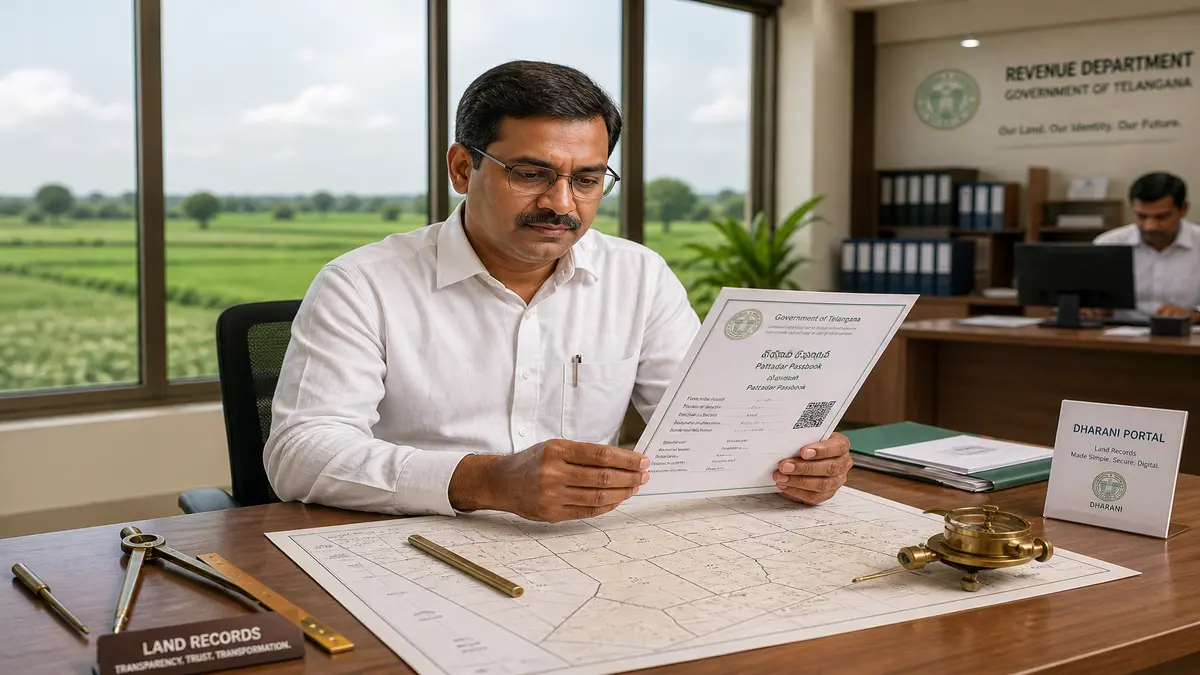
You finalize an agricultural land purchase in Sangareddy, finish the registration at the sub-registrar office, and wait for your new digital title to reflect online. Weeks pass, but the local Tahsildar tells you the mutation process is stuck. This leaves you frantically refreshing the revenue portal to check your Passbook Status, unsure if your ownership is officially recorded. Tracking your title transfer in real-time is crucial under the Telangana Rights in Land and Pattadar Passbooks Act, 2020. A verified electronic passbook is the ultimate legal proof of ownership for farm land in the state. Over 40% of first-time buyers in 2026 experience anxiety over delayed digital updates simply because they do not know how to accurately track their application progress. This guide explains exactly how to check your Telangana land passbook status online, verify your electronic title details, and resolve common application delays on the official state portal.
| Detail | Info |
|---|---|
| Governing Body | Bhu Bharati (formerly Dharani), Government of Telangana |
| Official Portal | bhubharati.telangana.gov.in |
| Applicable State | Telangana |
| Act Reference | Telangana Rights in Land and Pattadar Passbooks Act, 2020 |
| Application Fee | Free for online status check |
| Processing Time | 7 to 15 working days post-registration |
| Helpline / Contact | 040-23222155 |
| Last Updated | 2026 |
“A registered sale deed does not make you a farmer in the eyes of the government; an approved Pattadar Passbook does.”
What is a Passbook Status Check in Telangana?
Passbook status is an online tracking feature that allows landowners to monitor the approval and generation of their electronic title document. Once a property mutation or succession application is approved by the Tahsildar, the system updates this status to confirm your legal ownership title. The Government of Telangana revolutionized land administration by phasing out manual green physical passbooks in favor of highly secure, digitally signed electronic records. When you purchase land, inherit property, or receive it via a gift deed, the revenue department must update the central database. This update culminates in the generation of a new Pattadar Passbook in your name.
Checking your application progress ensures you are not left in the dark during this critical transition. In the past, buyers had to visit the Mandal Revenue Office (MRO) repeatedly to check if the Village Revenue Officer (VRO) had updated the manual Sethwar or Faisal Patti ledgers. Today, the entire workflow is digitized. However, digital workflows still require human approval. The Tahsildar must electronically sign the transfer order before the system generates your document. If there is a boundary dispute, a court stay, or a mismatch in your Aadhaar details, the application halts. By regularly monitoring the portal, you can identify these roadblocks early.
Understanding your portal dashboard is vital for protecting your investment. The status indicates exactly whose desk your file is sitting on. It might show as pending with the Sub-Registrar, awaiting Tahsildar approval, or held up at the Revenue Divisional Officer (RDO) level due to a complex grievance. You can securely track this progress using your specific application number or transaction ID. Accessing Bhu Bharati Application Status provides complete transparency, removing the need for middlemen or agents who often charge exorbitant fees just to convey basic information.
Objectives and Benefits of Tracking Your Electronic Title
The state government implemented the online tracking system to eliminate corruption and empower property owners. When you understand the objectives behind this digital infrastructure, you can navigate the portal with greater confidence.
- Eliminate Middlemen: Direct access to your application progress removes the dependency on unauthorized agents.
- Prevent Record Tampering: Digital tracking ensures manual alteration of ownership details is impossible without a digital footprint.
- Enforce Accountability: Time-bound approvals force revenue officials to process files within stipulated deadlines under the Citizen’s Charter.
- Streamline Grievance Redressal: Clear status indicators help owners file specific complaints if an application remains pending beyond the legal timeframe.
For landowners and buyers, the immediate benefits of holding a verified digital passbook extend far beyond simple peace of mind. A valid passbook is the foundation for almost every agricultural scheme and financial transaction in the state.
- Crop Loan Eligibility: Banks require a digitally signed passbook and an updated Telangana Pahani to sanction agricultural loans.
- Rythu Bandhu Subsidies: Government financial assistance is directly credited only to bank accounts linked to an active Pattadar Passbook.
- Legal Resale Value: You cannot legally register a subsequent sale of the property without an updated passbook reflecting your name as the current pattadar.
- Land Conversion: Applying for NALA conversion (agricultural to non-agricultural) requires an error-free passbook.
Who Needs to Monitor Their Application?
Not every property transaction requires a new passbook, but specific life events and legal transfers make this document mandatory. Whether you are a local farmer or an expatriate, keeping your revenue records updated is a legal necessity.
| Category | Applicable | When Required |
|---|---|---|
| New Property Buyers | Yes | Immediately after executing a sale deed for agricultural land. |
| Legal Heirs | Yes | Following the death of the original landowner (succession/mutation). |
| Property Gift Recipients | Yes | After registering a gift deed from a family member. |
| NRIs | Yes | To protect ancestral land from illegal encroachment while living abroad. |
| Banks and Lenders | Yes | Before approving crop loans or mortgage requests based on the land value. |
Required Documents for Online Verification
You do not need to upload new files just to check your progress, but you must have specific identifiers ready. The online portal requires exact data matches to pull your secure records from the central servers.
| Document / Detail | Who Submits |
|---|---|
| Application Number | Provided on your registration receipt. |
| Transaction ID | Generated during initial slot booking. |
| Aadhaar Card Number | Owner or buyer verifying identity. |
| Survey Number | Found on the sale deed or previous Pahani. |
| Old Passbook Number | Required for succession or partition cases. |
Pro Tip
Always photograph the acknowledgement receipt given by the Sub-Registrar immediately after registration. The Application Number printed on this receipt is notoriously easy to misplace, and retrieving it later requires a physical visit to the Tahsildar office.
Fee Structure and Charges Involved
Transparency in government fees prevents landowners from falling victim to unauthorized demands. While the actual registration and mutation processes carry statutory charges, checking your application progress is entirely free.
| Service | Fee (Telangana) | Comparison State (AP) |
|---|---|---|
| Online Status Check | Free | Free |
| Initial Passbook Generation | Included in mutation fee | Included in mutation fee |
| Passbook Correction (Name/Extent) | ₹1,000 (approximate) | ₹250 (varies by district) |
| Downloading e-Passbook Copy | Free via portal | Free via Meebhoomi |
| Physical Smart Card Passbook | N/A (Discontinued) | Nominal printing fee |
Step-by-Step Process to Check Application Status
Navigating the state land portal can be intimidating for first-time users. The interface updates frequently, and selecting the wrong module will return a “No Data Found” error. Follow these exact steps to track your document accurately.
Access the Official Portal
Open your web browser and navigate to the official Bhu Bharati (formerly Dharani), Government of Telangana website. Ensure you are on the secure government domain to avoid phishing scams.
Navigate to the Citizen Dashboard
Click on the ‘Agriculture’ section on the main homepage. Look for the ‘Citizen Services’ tab and select ‘Application Status’ from the dropdown menu.
Enter Application Credentials
Input the unique Application Number or Transaction ID provided during your property registration. You can also search using your registered mobile number if you have linked it to your Aadhaar.
Solve the Security Captcha
Enter the alphanumeric captcha code displayed on the screen carefully. The system is case-sensitive, and multiple failed attempts may temporarily block your IP address.
Fetch and Interpret Data
Click the ‘Fetch Details’ button. The screen will display your current workflow stage. It will explicitly state if the file is pending with the VRO, approved by the Tahsildar, or ready for digital download.
Download the Approved Document
If the status reads ‘Approved and Generated’, navigate to the RoR Download section to save a PDF copy of your newly updated electronic title.
Common Errors and Necessary Corrections
Even with a digitized system, human error during data entry causes severe headaches. A minor spelling mistake can halt your Rythu Bandhu payments entirely. Knowing how to identify and rectify these errors is crucial.
| Common Error | How to Correct It | Authority Involved |
|---|---|---|
| Name Mismatch with Aadhaar | Apply for Name Correction via portal | Tahsildar / MRO |
| Incorrect Survey Number Extent | File a Grievance for Extent Correction | Revenue Divisional Officer (RDO) |
| Missing Digital Signature | Raise a Helpdesk Ticket online | District Collectorate (IT Cell) |
| Status Stuck at Pending | Submit a physical representation | Tahsildar |
| Invalid Transaction ID | Verify ID from registration receipt | Sub-Registrar Office |
Watch Out
Never ignore a “Pending at RDO” status message for more than 30 days. This usually indicates a formal objection has been raised against your mutation by a third party, and a civil notice may be issued soon.
Landowner and Buyer Legal Rights
The transition to digital records was designed to protect you, not frustrate you. Under the state revenue framework, you possess specific statutory rights regarding your property documentation.
- Right to Timely Service: Under the state’s Citizen Charter, routine mutations and passbook generation must be completed within a strict timeline (usually 15 working days) after registration.
- Right to Digital Copies: You have the absolute right to download a digitally signed copy of your RoR by Survey Number without paying arbitrary physical printing fees.
- Right to Appeal: If the Tahsildar rejects your passbook application, Section 5 of the Act grants you the right to file an appeal with the Revenue Divisional Officer within 60 days.
- Right to Secure Encumbrance: Once your passbook is generated, no other party can register a sale or mortgage on your survey number without your explicit biometric consent.
5 Things Every Landowner Must Know Before Checking Status
- Aadhaar Linkage is Mandatory
Your application will not proceed unless your biometric data matches the Aadhaar database perfectly.
- Survey Number Freezes
If a court stay is active, the portal automatically freezes the survey number, blocking new passbook generation.
- Digital Signatures Validate Ownership
An approved status is meaningless until the Tahsildar applies their authorized digital signature to the file.
- Time Limits Apply
Appealing a rejected application must be done within 60 days, or you risk losing your administrative remedy.
- Loans Require Live Status
Bank managers pull your live portal status on the day of loan sanction; printed copies are no longer accepted.
Did You Know?
Even if you hold a newly minted digital passbook, a manual civil court stay order on your specific survey number can freeze your ability to sell or mortgage the land without that warning ever showing up on the basic passbook front page. You must always check the prohibited properties list separately.
Reality Check: What This Portal Cannot Fix For You
The state revenue portal is a powerful tool, but it is not magic. Relying solely on a digital status check without understanding the underlying revenue mechanics can lead to disastrous financial mistakes. Legacy data errors remain the biggest hurdle. When the government migrated millions of manual Sethwar and Faisal Patti records to the digital servers, thousands of spelling mistakes, wrong land extents, and missing survey numbers occurred. The portal cannot automatically fix these historical errors. If your grandfather’s name was spelled wrong in 1995, the system will reject your succession application today due to an Aadhaar mismatch.
Civil court stays represent another massive blind spot. The online tracking system tells you where your administrative file sits within the revenue department. It does not pull real-time data from the district civil courts. If a disgruntled relative files a partition suit and obtains a temporary injunction against your property, the revenue portal might still show your passbook as “active.” However, the moment you attempt to sell the land, the sub-registrar will block the transaction because the survey number has been moved to the prohibited list behind the scenes.
Portal downtime and server maintenance are frequent frustrations for users in 2026. During peak Rythu Bandhu disbursement seasons, the servers experience massive traffic loads, resulting in timeout errors or inaccurate “No Data Found” messages. Panic ensues among landowners who believe their records have been deleted. When the system is unavailable, you must exercise patience rather than submitting duplicate applications, which only further confuses the database and triggers fraud alerts.
Finally, a digital approval does not replace the need for physical field verification in boundary dispute cases. If you purchase land and the digital passbook is generated, you might assume everything is perfect. But if the actual physical boundaries on the ground overlap with forest land or a neighbor’s property, the digital title will not stop a trespassing lawsuit. The revenue department issues the passbook based on registered deeds, not fresh physical surveys. You must still conduct a ground-level survey using a licensed surveyor to protect your borders.
Watch Out
The single most important mistake buyers make is assuming a “Generated” status means the land is dispute-free. The portal confirms administrative ownership, but it does not guarantee physical possession or protect against pending civil litigation.
Electronic Passbook vs. Pahani (Adangal)
| Factor | Pattadar Passbook | Pahani (Adangal) |
|---|---|---|
| Primary Purpose | Proof of absolute ownership title. | Record of cultivation and crop details. |
| Update Frequency | Only upon sale, gift, or inheritance. | Updated annually during crop seasons. |
| Requirement for Sale | Mandatory for registering a sale deed. | Required as supporting evidence only. |
| Bank Loan Use | Establishes the borrower’s asset base. | Proves active agricultural yield for crop loans. |
Expert Tip
Always download the 1-B extract alongside your passbook. While the passbook proves your title, the 1-B extract provides the chronological history of how that title was derived, which is critical if your ownership is ever challenged in a revenue court.
Official Land Records Resources
| Resource | Purpose | URL (plain text) |
|---|---|---|
| Bhu Bharati Portal | Telangana Land Record Search | bhubharati.telangana.gov.in |
| Meebhoomi Portal | AP Land Record Verification | meebhoomi.ap.gov.in |
| Bhoomi Portal | Karnataka Land Record Search | landrecords.karnataka.gov.in |
Frequently Asked Questions
What exactly is a Passbook Status check?
A passbook status check is an online verification process that allows property buyers and landowners to track the progress of their electronic title document. It reveals whether the local Tahsildar has approved the mutation application and if the digital signature has been affixed to the final ownership record.
How long does it take for the Passbook Status to show as approved?
Under standard revenue guidelines, a mutation application should be processed within 7 to 15 working days following the property registration. However, if there are data mismatches, boundary disputes, or pending court cases, the application can remain pending for several months.
Why is my application showing as pending at the RDO level?
If your application bypasses the Tahsildar and shows as pending with the Revenue Divisional Officer (RDO), it usually indicates a formal objection has been filed against your title transfer, or your application involves a complex land extent correction that exceeds the Tahsildar’s administrative jurisdiction.
Can I apply for a bank loan using just my application receipt?
No. Nationalized and cooperative banks require a digitally signed and fully generated electronic passbook to sanction agricultural or crop loans. An application receipt only proves you have applied for the document, not that the government has validated your clear title.
What happens if my Aadhaar name does not match the portal?
If your Aadhaar name does not perfectly match the name on the registered sale deed and legacy revenue records, the system will automatically halt the passbook generation. You must file a specific grievance for name correction and submit an affidavit to the MRO.
Do I still get a physical green book from the government?
No. The state government has completely transitioned to the electronic Pattadar Passbook system. You will not receive a physical green book. Instead, you must download the secure, digitally signed PDF from the portal, which holds the exact same legal validity as a physical document.
Need Help with a Land Records Issue
Whether you are checking a Pahani entry, tracking a mutation application, or verifying a patta — our team can guide you to the right resource.
Chat with us on WhatsApp or email us at [email protected]
Download the BigProperty App to check land record status, track mutation applications, and get property alerts in Hyderabad.

